Breaking

Sunday, 6 September 2026

September 06, 2026

Saturn’s South Pole is Apparently Decagon-Shaped

Saturn's north pole captured by Cassini in 2013. (Credit: NASA/JPL-Caltech/SSI/CICLOPS/Kevin M. Gill)
Saturn’s north pole captured by Cassini in 2013. (Credit: NASA/JPL-Caltech/SSI/CICLOPS/Kevin M. Gill)

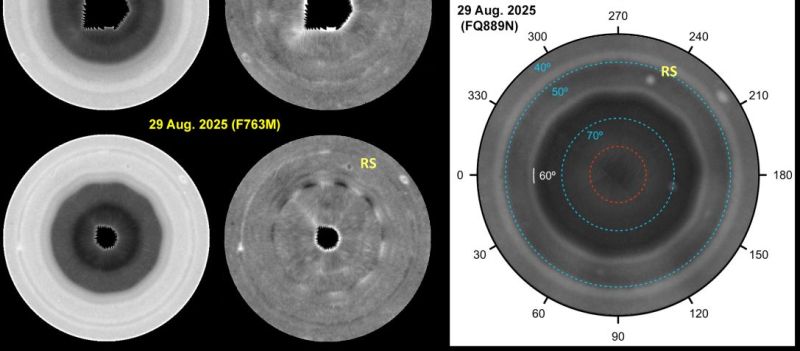
Although some would argue that the hexagon is the bestagon, astronomers have discovered that Saturn appears to favor the ten-sided decagon on its south pole. This comes as its south pole has recently been confirmed to show a pattern that’s oddly ten-sided, per a recent research article by [Agustín Sánchez-Lavega] et al. in Science Advances.

Because Saturn is a gas giant, this naturally isn’t some gigantic planet-sized rock formation, but rather an interesting wave phenomenon in this massive gas bubble. The hexagon shape on its north pole had been known about for a while already, so it is perhaps not too surprising to find something similar on its south pole.

These shapes are generally the result of standing waves within a polar vortex, through the interaction of waves in Saturn’s atmosphere. For the north pole hexagon, the formation is driven by an intense eastward jet, but no similar wave had been reported for the planet’s south pole.

While in this paper a decagon shape is identified based on multiple observations, they postulate that it’s due to a meandering wave in the area rather than a jet as at the other pole. This clearly doesn’t make this wave pattern as obvious as the one at the north pole, but it provides another fascinating insight into fluid dynamics scaled up to a planetary gas giant.

Saturday, 5 September 2026

September 05, 2026

There’s Whole Computer Inside This Mouse

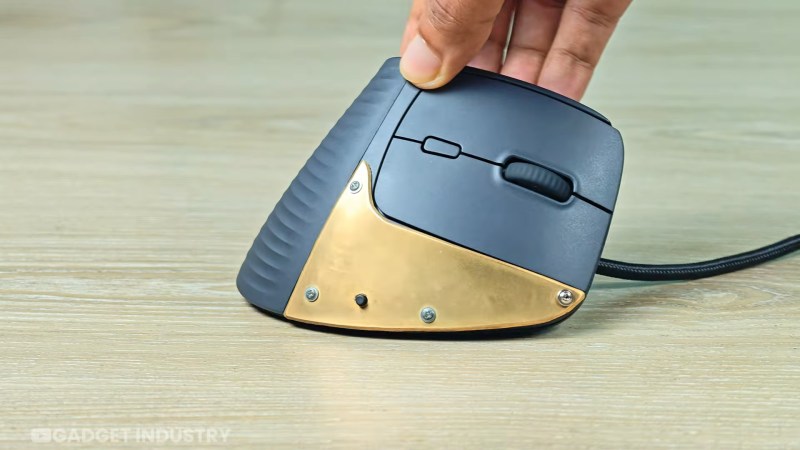
[Gadget Industry] bills it as “a PC inside a Mouse“, but that depends on your definition of a “PC”. This is a Personal Computer inside a mouse, yes, but there’s nothing IBM-compatible about the tiny ARM board he squeezes inside what’s normally a peripheral — it actually started life as a smartphone, which only takes this build up a notch compared to starting with a single-board computer like a Pi.

Specifically, he starts with a Galaxy S21 5G. Starting with a Samsung means he can leave the stock Android alone and just take advantage of Samsung’s DeX desktop mode, rather than layer a Linux environment on top or replace the operating system entirely with something like Postmarket OS, which are both viable options.

With the battery compartment removed, the phone guts fit with shocking ease in the once-wireless mouse. Of course that’s not a great thermal environment, but that’s what the brass is for. It acts as a heat spreader, which is about as much thermal management as the phone had from the get-go, so it should work well enough. It seems to in the video, certainly. If thermal throttling is a concern, while it’d be hard to fit in a mouse, there’s no beating liquid cooling.


September 05, 2026

Can AI Now Design PCBs That Just Work?

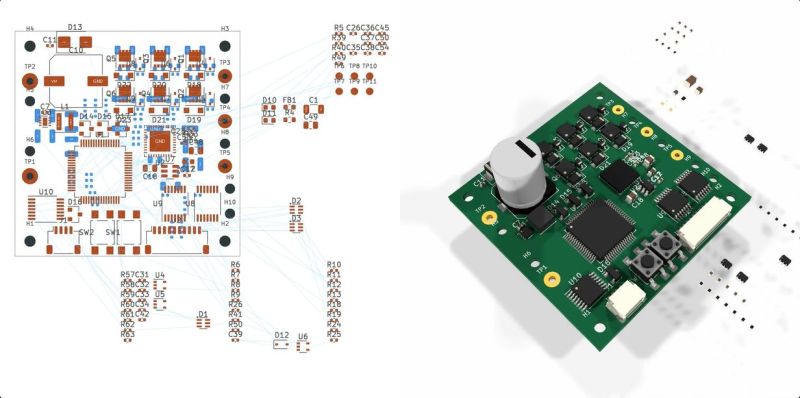
With the recent release of its GPT-6 Astra model, OpenAI explicitly pushed the claim that it is capable of designing complete circuit boards in KiCad, starting from a provided schematic and outputting a fully routed PCB that theoretically could be sent off to be manufactured. This of course raises the question whether this is just a nifty party trick that works under strictly controlled conditions like most auto-routing tools, or whether there’s more to it. In a recent [EEBench] blog post, OpenAI’s claims are put to the test.

Back in 2024, we looked at how LLMs handle circuit board design, starting with the schematic. The conclusion was that you might as well just do it all by hand. Tracking progress here, [EEBench] is an electrical engineering agent benchmark that tests how effective these so-called AI agents are at performing useful hardware engineering work. As their methodology already makes clear, creating a populated and routed PCB from a schematic is just one step of many.

Consequently, GPT-6 Astra scores 69.3% (+/- 10%) on their benchmark, roughly in the same ballpark as Claude Opus 5, albeit cheaper and faster. It should be noted that [EEBench] is run by the developers behind Atopile, which is a code-based system for creating PCBs in KiCad with a strong focus on use by such AI agents.

Despite this, the blog post makes it clear that there is still a long way to go before hardware engineers can receive their pink slips and take up another profession. After all, while vibe-coding a quick prototype PCB can be a nice shortcut, for a one-off project PCB, most boards are expected to handle all the edge cases, be fully validated by multiple independent engineers, and have passed stringent testing before committing to a production run.

(Top image: from OpenAI GPT-6 Astra KiCad video)


September 05, 2026

Running Apple ][ Software on a Commodore 64 — Silently

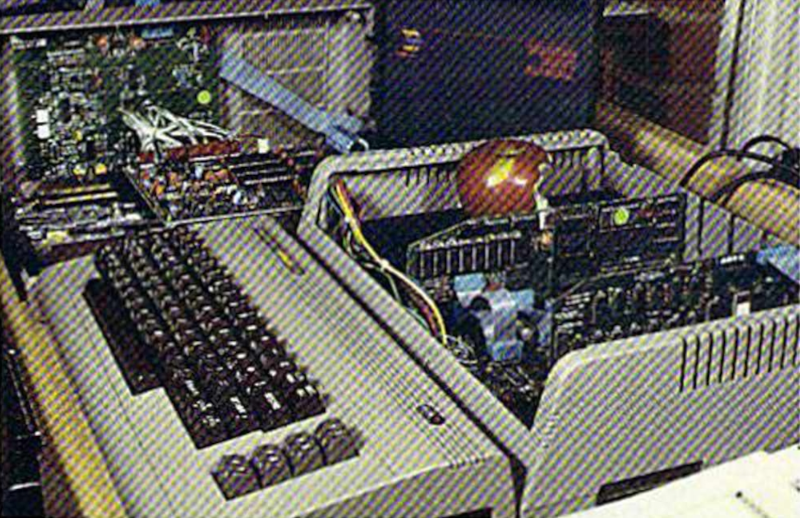
The computer business in 1984 was a bizarre mix of hobby-level companies, a few small companies that had made it big, and a lot of big companies starting to take notice of personal computers. Plenty of money followed, which led to strange products and even stranger ads. [Such Bad Tech Ads] reveals a very bad ad from that time for a product we have barely heard of: the Spartan. The Spartan’s job was to convert your Commodore 64 so it could run Apple ][ software. The ad campaign had, inexplicably, a mime. We think. Or maybe a clown. Hard to say.

On the face of it, the Spartan might not be a bad idea. In 1984, there was plenty of Apple software. Well, relatively, anyway. But a Commodore computer was far cheaper. Other conversion kits like the Intel Inboard/386 managed to find some success in the market later. The problem, outside of strange ads, was one of timing.

If the product was available in 1984, it might have worked out better for the Canadian company, Mimic, behind it. Instead, it was about two years before an actual piece of hardware would show up in anyone’s hands. By that time, there was a ton of software for the Commodore 64. Not to mention that even when Mimic announced the Spartan, Apple had discontinued the Apple ][+ computer.

Why use a mime to promote a product that turns your Commodore 64 into a keyboard and monitor? We have no idea. But he was in all the ads and even on the product box. Strange.

We’ve seen the Spartan before, naturally. Being late usually has bad consequences. Ask FedEx.


September 05, 2026

Pixel Watch 5 Demonstrates Good Repairability

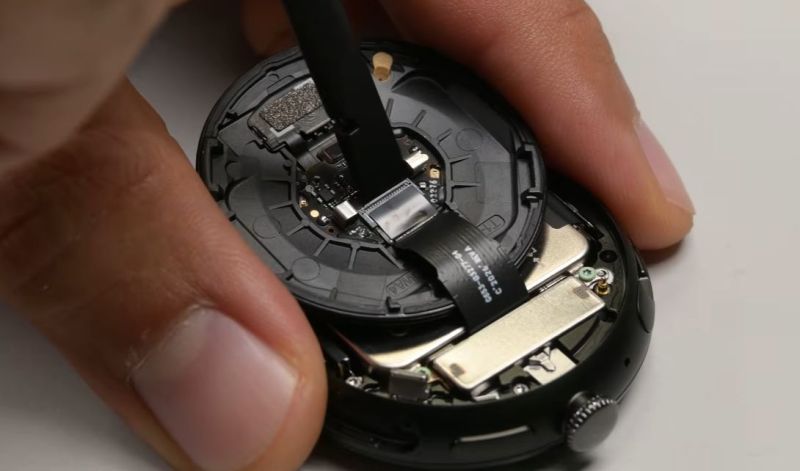
Although we often find ourselves drowning in a seemingly unending sea of portable devices that are effectively e-waste once an internal component gives out, it’s good to remind ourselves that there are a few examples out there by large brands that manage to tick all the fancy feature boxes, while still being very much repairable. Case in point the Pixel Watch 5, a smart watch which much like its predecessor gets a 9/10 on [iFixit]’s repairability score.

No heat gun required, just undo the latch on the side of the watch. (Credit: iFixit, YouTube)
No heat gun required, just undo the latch on the side of the watch.

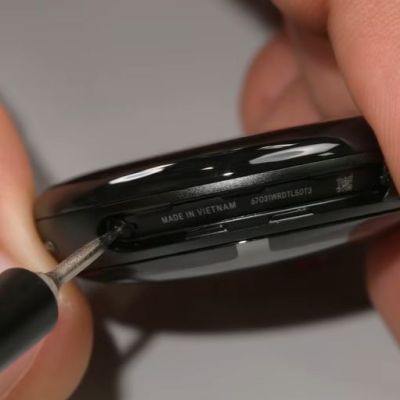
Despite featuring an IP68 rating, opening it is as easy as taking out a few screws to release its latch. This allows the back to swing open, with not a drop of glue in sight, just an O-ring gasket that keeps moisture out and can be reused many times. Digging into the guts, there are color-coded screws that guide one’s hand as the very modular design is taken apart in a matter of minutes.

Being able to simply unlatch the back, and also easily obtain spare parts are two aspects that are a very welcome sight indeed. Although it’s much easier to just glue everything together, something like this latch-and-gasket approach is something that we hope that more manufacturers will copy for these small devices.

It’s potentially also an idea for one’s next DIY smart watch project, as tempting as reaching for that tube of glue may seem.


Friday, 4 September 2026

September 04, 2026

Parchment Paper Paired With 3D-Printed Grid Gives a Nice Glow

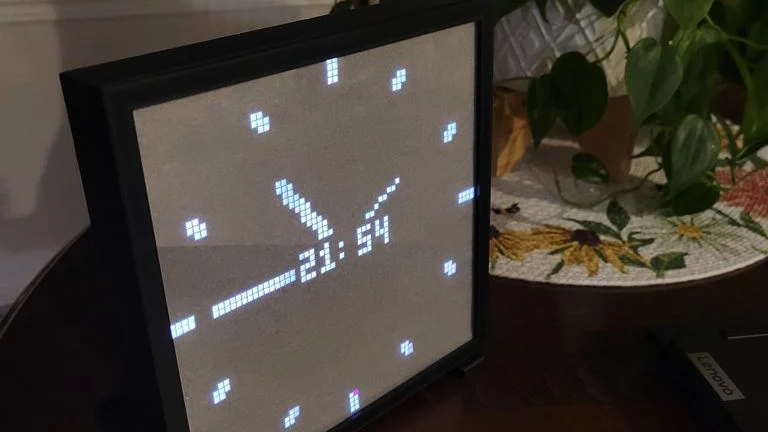
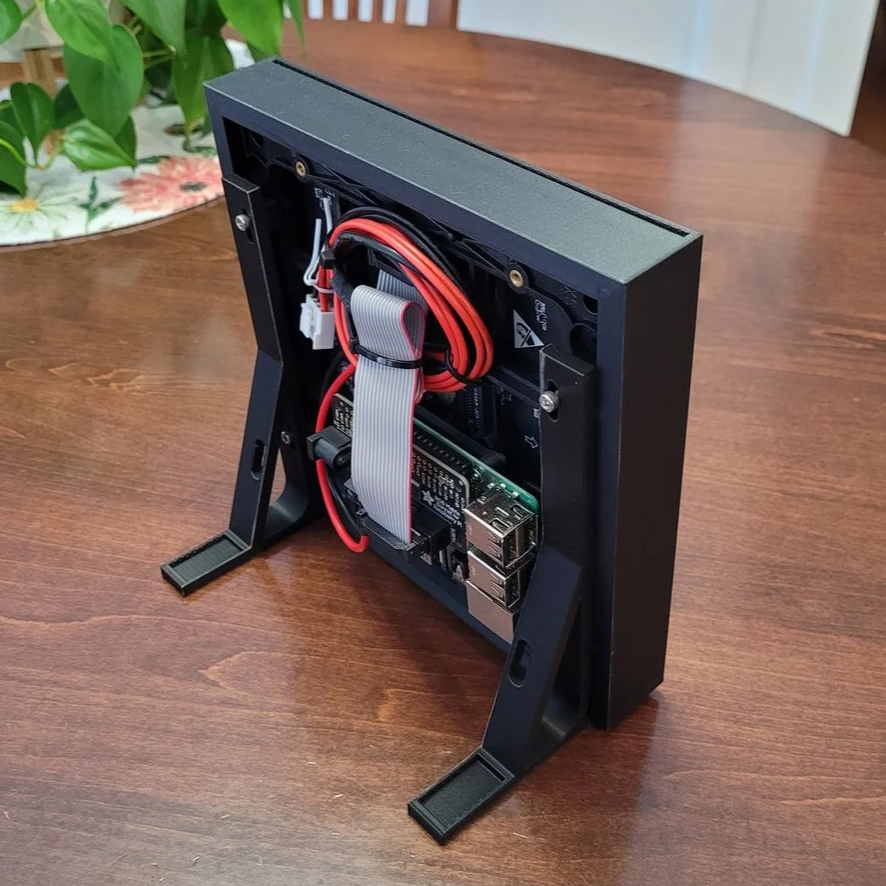
This custom enclosure for a 64×64 RGB LED matrix by [Davisan1001] not only provides a mount point for a Raspberry Pi, but presents a clean and smooth face with square pixels thanks to a 3D-printed grid, some parchment paper, and a sheet of clear plastic.

The first clever thing in this design is the way [Davisan1001] created the grid that acts as a light blocker for each LED in the matrix, preventing light from “spilling” over into its neighbors. Instead of designing the grid from scratch, the solution was just to leverage slicer settings. By printing a flat square with a grid pattern infill and zero solid top and bottom layers, the slicer creates the grid all by itself. A little trial and error was required to get the spacing just right, but it seems to have worked out fine. We’re not sure it’s better than designing a grid in CAD, but it was certainly a clever way to avoid having to do so.

[Davisan1001] also struggled to find an effective and economical solution for a diffuser. Certainly, high-quality diffuser films are available for sale, as are specialty acrylic sheets, but surely there was some household DIY option to do the trick. A sheet of plain white paper blocks too much light. Wax paper handles poorly, and off-angle viewing is poor. The sweet spot was parchment paper.

Parchment paper is commonly used in baking and is thin, easy to handle, flat and even in color, and just opaque enough to act as an effective diffuser while still transmitting enough light to not impede clarity. Cover the LED matrix with the 3D-printed grid, lay parchment paper over that, cover with a sheet of clear plastic, and the job is done.

Light diffusion can be tricky to get just right in a DIY project, and what works for one application won’t necessarily work for another. Our community had loads of suggestions on different solutions, so consider this one more idea to try the next time you have a project that calls for it.


September 04, 2026

Fixing an Expensive Seagate LaCie Hard Drive Array

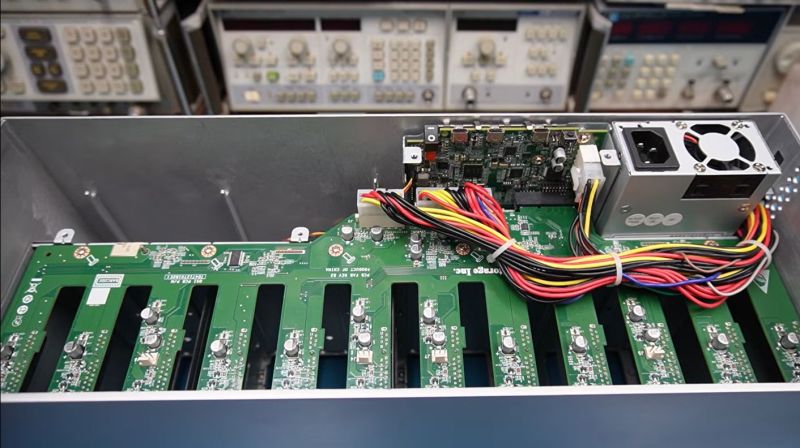
After the [Slow Mo Guys] acquired a 168 TB Seagate LaCie Thunderbolt 3-based RAID storage system back in 2019 to store their video footage, they were obviously slightly miffed when suddenly it would just refuse to power up. Naturally the device was now out of warranty, the product itself no longer produced and Seagate support was less than supportive, ergo they sent the device to [Mend it Mark] for an attempted repair.

At first inspection the device appeared to be basically unresponsive, with none of the four fans running and no signs of life other than a few lit LEDs on the main PCB after supplying power to it. After full disassembly and with no repair guide or schematics to go by [Mark] had to start from basics, first diagnosing whether all the power rails were turning on, which they weren’t.

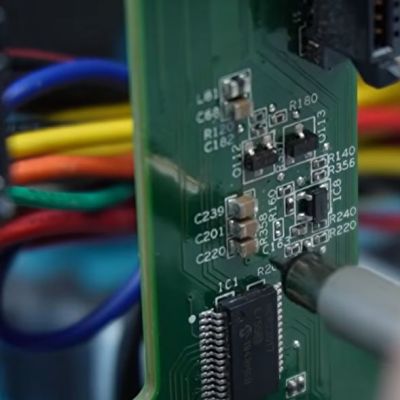
Eventually this led to the NXP LPC11U6x-series MCU which acts as the main power management and monitoring chip in the system. [Mark] deduced that this MCU wasn’t turning on all the power rails because it was waiting for a signal from the fan controllers on the SATA backplane. With the MCU sending the right signals here, and the fans all working when directly supplied with power, ultimately it turned out that a single SI2319 or similar P-channel MOSFET in SOT-23 package near one of the fan connectors had gone faulty.

Replacing this one MOSFET seems to have fixed the RAID array, with it now happily powering up, although the real test will be once the [Slow Mo Guys] start shoving the HDDs back into it. Assuming that this was the sole fault in the system, then it was a very cheap fix in terms of materials. It’s a real shame that repair guides or schematics aren’t made available for devices like this, even if just after they stop being produced.